1.
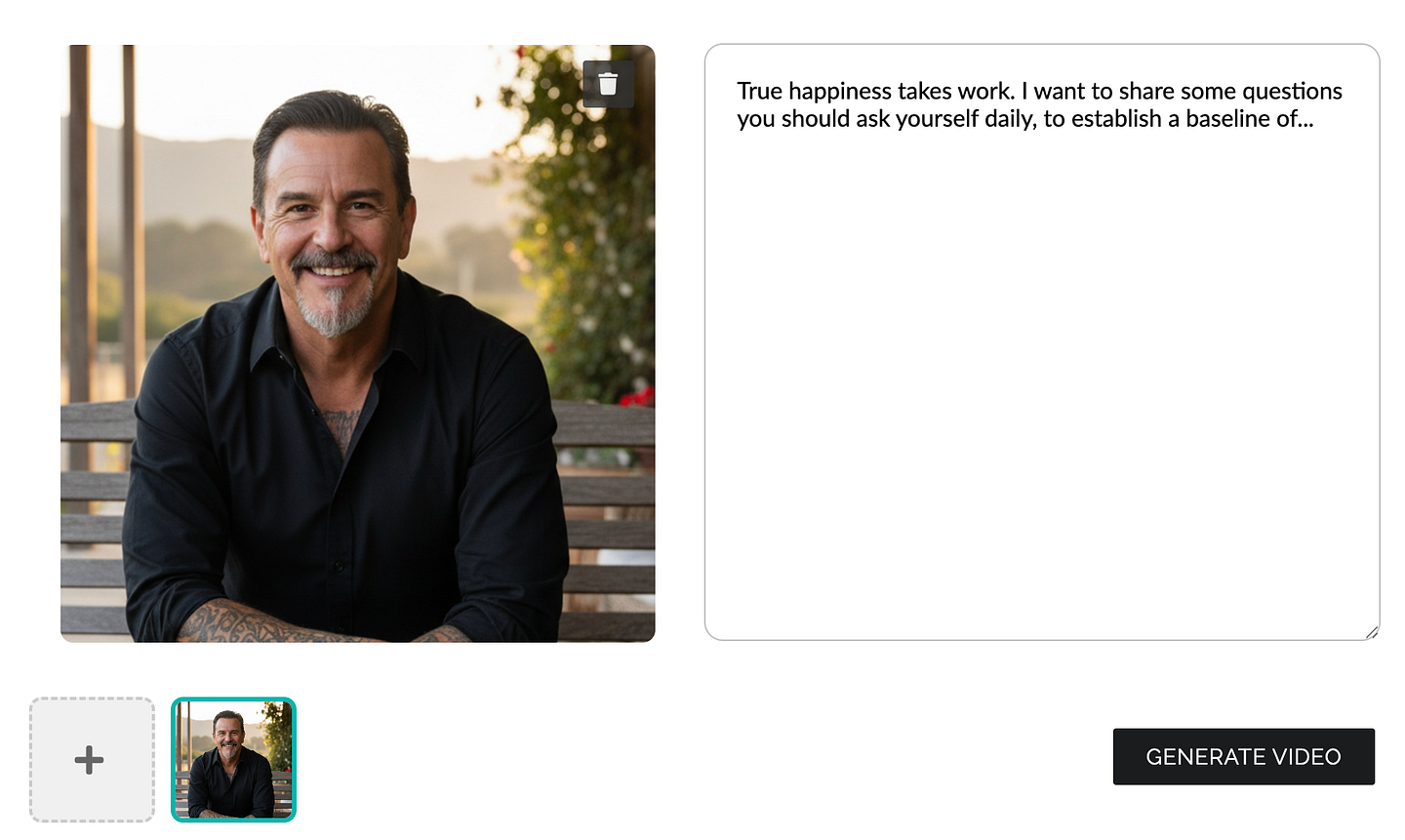
Upload a picture of yourself
Pick any picture showing your clear portrait and upload it.

Create AI avatar videos from a single picture. Write your script and generate a talking video avatar that looks and sounds like you!
Generate instantly AI Avatar videos from any picture — no camera, no recording, no retakes.
With advanced AI lip sync and voice cloning, your avatar looks and sounds just like you.
Upload a photo, clone your voice, write a script — and generate your AI Twin video in just minutes.
Generate video updates and share them in one click — no need to spend hours recording or editing.
Share videos of your AI Twin on LinkedIn, Youtube and social media.
Have your AI Twin share your latest ideas and insights in a video. Your AI twin speaks for you - no camera, no retakes.
Have your AI Twin share your latest opinion or analysis on LinkedIn. Show how you've adopted AI to become more efficient and impactful.
Publish more and faster. No camera, stress or retakes. Just generate in one click.
Grow your personal brand, be present in one click. Generate AI Avatar videos to share your journey, insights, and perspective.
An AI Avatar video is an AI generated video that shows an Avatar that you've generated, that talks and moves following a script you've prepared. It turns a photo into a fully animated, realistic video of you. Your AI Twin speaks your script with natural voice sync, expressive facial movements, and lifelike gestures — without you recording on camera.
Create your AI talking photo in 3 steps: (1) upload your photo, (2) clone your voice, (3) write your custom script. Then Spheria generates your scripted AI Twin video instantly — ready within about 3 minutes.
Spheria is built with privacy and consent in mind. We include safeguards to help ensure only you can generate your AI Twin videos, and your data is handled securely with encryption and access controls.
Talkin AI Avatar videos are a premium feature, like voice cloning and photo-to-video generation. Please see our pricing page for plan details and feature comparison.
The goal is high-fidelity video that feels natural: clear lip sync, expressive facial movements, and realistic presence from a single photo. Results can vary based on photo quality and the script, but we optimize for natural-looking, engaging videos.
Yes, video AI Avatars are a great use case for LinkedIn: write a short script and generate a video update of yourself in minutes. No recording anxiety, no setup, and no editing — just a high-quality video that's ready to post and that will engage your audience.
You can start with simple templates: an update, a product announcement, a thank-you message, or a recap. Then refine the script until it sounds exactly like you — and generate again instantly.
Thousands of people already use and trust Spheria to create their AI Clones. We've built a dedicated portal for AI ethics to build trust and transparency. Our foundational Ethics model is based on privacy, transparency, fairness and accountability.